

Local Storage seems to be disabled in your browser.
For the best experience on our site, be sure to turn on Local Storage in your browser.
Local Storage seems to be disabled in your browser.
For the best experience on our site, be sure to turn on Local Storage in your browser.

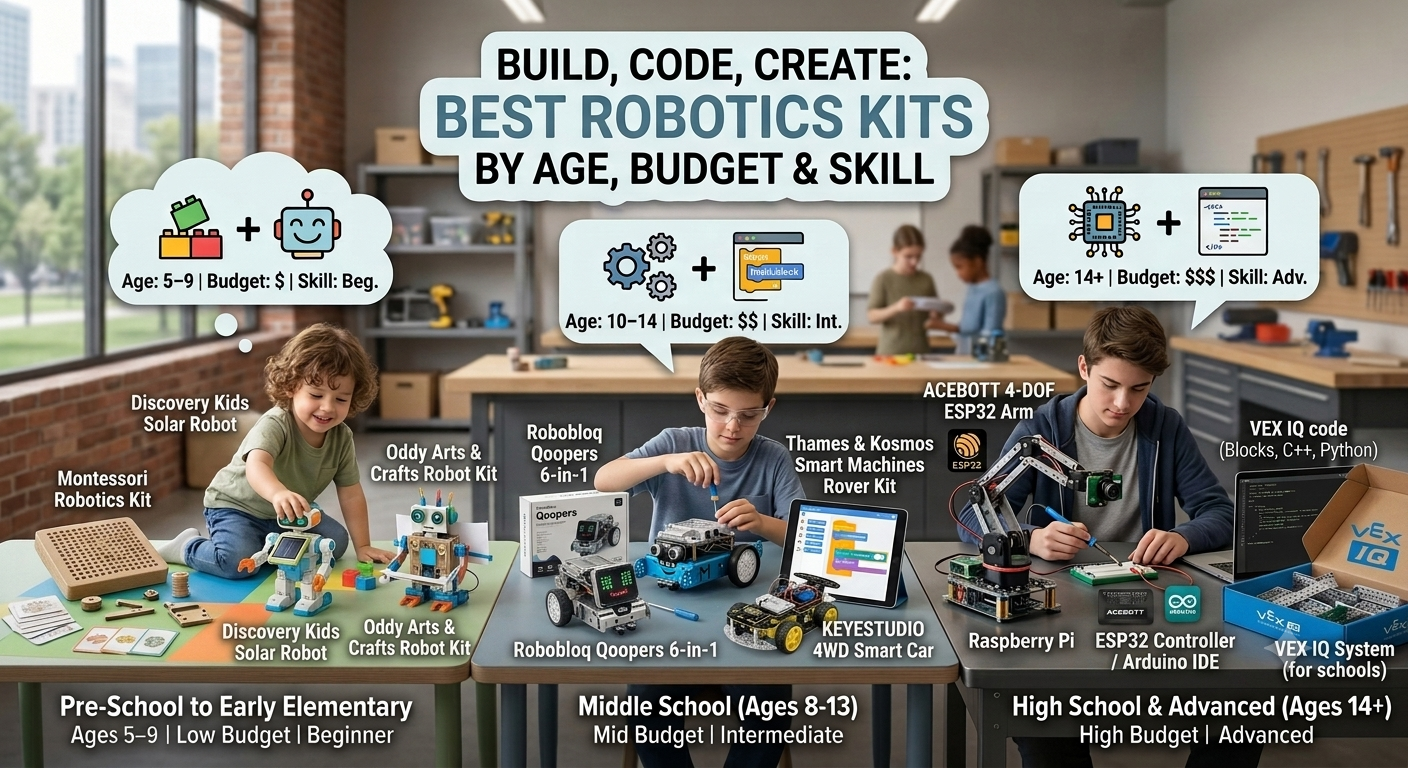
Robotics kits are one of the most effective tools to introduce kids and teens to STEM (Science, Technology, Engineering, and Math). Beyond basic construction, these interactive kits teach practical problem-solving, block-based and text-based coding, circuit design, and mechanical engineering.
Unlike basic puzzles or pre-built toys, the STEM robotics kits featured in this guide utilize genuine tech components—such as microcontrollers (Arduino, ESP32, Raspberry Pi), ultrasonic distance sensors, servo motors, and programmable microchips. Whether you are searching for a screen-free coding toy for early learners or an advanced mechatronics platform for high schoolers, this comprehensive buyer's guide compares the top options by age, budget, and difficulty level.
Smart Shop

Sillbird 12-in-1 Solar Robot Building Kit STEM Gift for Boys Ages 8-13
Compare Prices
Special Price
$19.99
Regular Price
$24.99


| Age Range | Core Focus | Skills Learned | Key Interests | Recommended Kits | Est. Budget |
|---|---|---|---|---|---|
| 5–9 yrs | Craft + Basic Mechanics | Motor skills, simple assembly, spatial logic | Hands-on play, building, craft-focused | Montessori Kit, Discovery Solar, KidzRobotix | $20 – $40 |
| 10–14 yrs | Programming + Electronics | Block coding (Scratch), circuit basics, sensor logic | Tech tinkering, problem-solving, gaming | Qoopers 6-in-1, KEYESTUDIO 4WD, Thames & Kosmos | $50 – $170 |
| 14+ yrs | Advanced Mechatronics & AI | Servo control, C++/Python coding, kinematics, Wi-Fi IoT | Engineering, computer science, robotics competitions | ACEBOTT 4-DOF Arm, mBot2 / Micro:bit extensions | $80 – $150+ |
| Kit Name | Best For | Hardware Platform | Coding Language Supported | Target Age |
|---|---|---|---|---|
| Makeblock mBot | Absolute Beginners | Arduino-based (mCore) | Scratch (mBlock), Arduino C++ | 10+ |
| ELEGOO Smart Car | DIY Electronics Builders | Arduino UNO R3 | Arduino IDE (C/C++) | 12+ |
| SparkFun Inventor's Kit | Breadboard & Circuitry Intro | Arduino / RedBoard | Arduino C++ | 13+ |
| Picar-X | AI Vision & Python Projects | Raspberry Pi | Python, Visual Block | 14+ |
| VEX IQ System | School & Team Competitions | VEX Hardware System | VEXcode (Blocks, Python, C++) | 11–14 |
| Adafruit / SparkFun Kits | Freestyle DIY Projects | Various Microcontrollers | CircuitPython, MakeCode, C++ | 13+ |
ACEBOTT 4-DOF ESP32 Programmable Robotic Arm Kit
A four-axis robotic arm powered by four independent servo motors and an ESP32 board. It teaches spatial coordinate calculations, servo calibration, and wireless controlling via Wi-Fi/Bluetooth apps or physical joysticks. Users can code it using block-based platforms or advance directly into Arduino IDE C++.
Robobloq Qoopers 6-in-1 Programming Robot Kit
An anodized aluminum platform that can transform into six distinct forms (Captain, Voyager, Scorpion, etc.). Features an LED matrix display face, ultrasonic distance sensor, and dual-mode programming supporting Scratch 3.0 up through Python and C++.
KEYESTUDIO 4WD Smart Car Robot Kit
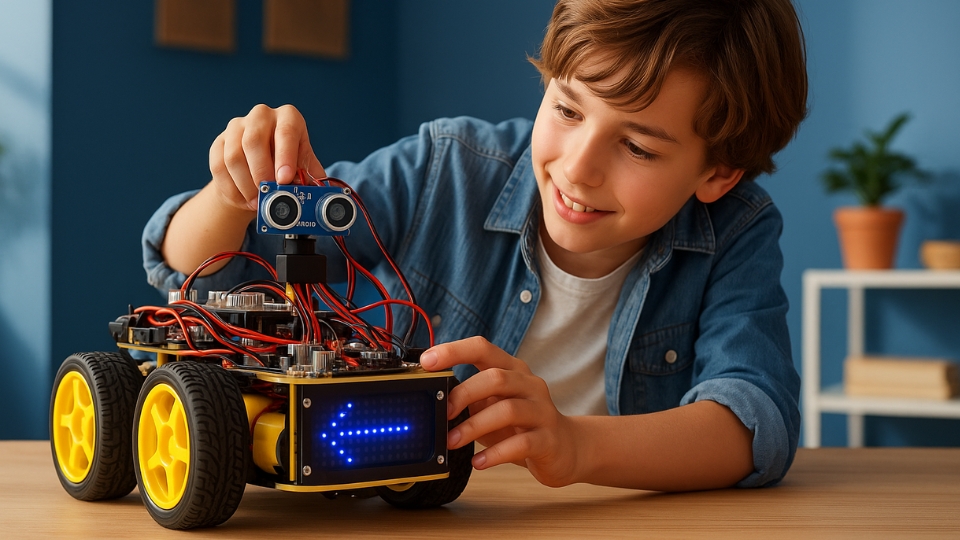
A hands-on, multi-functional robotics project centered around an Arduino microcontroller. Includes detailed step-by-step assembly guides covering line tracking, obstacle avoidance, and infrared control.
Thames & Kosmos Smart Machines Rover Kit
An approachable introduction to robotics and basic artificial intelligence concepts. Allows kids to build specialized rovers with motorized treads, programmed using a simplified app interface.
Programmable robot kits built on customized Arduino-based microcontrollers.
A cost-effective, open-source learning platform built around standard Arduino electronics.
For children aged 8 to 12, visual block-based languages like Scratch or mBlock are ideal because they teach logic without syntax errors. For teens (ages 13+), Python and Arduino C++ are the standard industry languages for microcontroller coding.
No. Most beginner-level kits (like mBot or Thames & Kosmos) include drag-and-drop programming applications and pre-programmed modes (like obstacle avoidance or line following) right out of the box.
Arduino is a microcontroller meant for real-time sensor control, motor drives, and simple electronic tasks. Raspberry Pi is a full mini-computer capable of complex computational tasks like computer vision, AI processing, and heavy web streaming.








Comments